Showing posts with label FreeCad. Show all posts

Monday, 12 May 2014

Drawing Updates

I've returned from an interesting cycling vacation in Europe and if I can call myself rested, it helped provide me with a bit more energy to gear me towards getting the Drawing Module finished.


With a steady stream of testing, I have been ironing out some long standing issues, some hidden bugs and adding a bit more functionality. Fuelled by beer and eagerness to get this module complete, there's been some steady progress over the last week - or if deemed worthy a coding 'sprint'.

There have been a substantial number of changes since last time, both visible and under the hood. I'll try my best to highlight the most important changes:

With anything this creates new bugs and also helps discover ones hidden away. I think the philosophy is starting to come true: you complete 90% of your project in 10% of the time and the remaining 90 % of time is spent debugging the remaining 10% .

New Features:

Drawing Icons

Drawing Icons are now used to represent objects in the drawing. Courtesy of Jim!


Dimensioning tool bar

You may now select specific dimensions for your drawing

Diameter constraints

I recently added a diameter constraint which has various positional arrangements depending where you position the dimension label. 

Centre mark option available for diameter and radius dimension


Drawing is updated dynamically when changing properties using property editor


Orthographic Task View Dialog:

Due to architectural changes,l the previous task dialog coded by Joe was difficult to incorporate with what I had done.  The difference now is the way views are now handled positioning and views are managed with a container object (Orthographic projections) - this allows you to set the scale for each individual view and eventually the projection type. 

These are automatically updated in real time. Along with this there are now three different scale types: 'Document' uses the page scale, 'Automatic' will attempt to calculate this automatically and also custom option. The latter two are available for all views.


Undo & Redo now possible

Before this was a notable problem where it was never guaranteed that you could undo and redo correctly. It appears to work very well under most situations - even deleting items. The only issue I have seen so far is when deleting a dimension this isn't correctly positioned when you try to redo operation. 

Improvements

  • Select 'anchor' view and now correctly drags the group
  • Drawing dimensions don't recalculate every time they are moved.
  • Dimensions correctly positioned when you save and restore the document. 
  • Reduction in number of document.recomputes - updates are automatically made. 
  • Vertical and horizontal dimension is checks edges are not zero
  • When you  create a page using the tool bar, the template is now loaded for the page (A4/A3) chosen
  • Tangent edges (e.g. cones, fillets) should now appear after disabling a check. Note: there is a limitation that these cannot be dimensioned

Reliability:

These are some recent changes this morning to try and prevent the random crashes/segfaults from occurring. As a result the bounding box also includes dimensions. I'm not sure if this is a good thing but I just need see if we still experience random crashes. This was a notable problem encountered in particular when you dragged a drawing view or more likely deleting a view. If I can get feedback on this over the course of time it'll help diagnose a better solution.

There  are more bugs out there some I'm aware of and some I'm not and to coin a nostalgia phrase we 'gotta catch em all'

Monday, 31 March 2014

Testing the Drawing Module: Part 1

After initial round of testing, we discovered a re-occurring crash when you tried to open a newly created page. The result of last nights work this is now fixed. For those unfamiliar, in the FreeCAD_sf_master directory run 'git pull'.

If you have any comments after testing the drawing module, please also consult this forum topic

-------------------------------------------------------

I haven't managed to do much recently. Work has snowballed and I've been having to work on a binary file converter for an Additive Manufacturing Machine. The experience from that I can imagine may be quite useful for writing and parsing other file formats if we ever need to in FreeCAD. I never would have thought I would read binary numbers as an engineer...

It appears there is a demand for testing the Drawing Module. It's in the stage where I any testing would be quite helpful, mainly to get feedback on the user interface and push this into the master for testing. I am aware there are some deficiencies both in missing features and bugs, but I need some motivation to finish up the GUI to make it more user friendly. Input on this would be helpful. In particular GUI mocks - hand drawings on tissue paper are accepted!

Note: Windows testers would be helpful!

 The idea of this post is to give a brief overview building FreeCAD to test out the Drawing Module.
mkdir test && cd test

The run "git clone http:://repositoryaddress" like the below to clone my Github repository into your testing directory.
git clone https://github.com/mrlukeparry/FreeCAD_sf_master.git

It should look like below. Cloning FreeCAD shouldn't take too long (it's about a 70mb download).


Ensure you have the prerequisites for compiling and building FreeCAD - consult either the wiki
or if you are really ensure ask on the forums. 

You now need to checkout out the drawing branch 
cd FreeCAD_sf_master && git checkout origin/drawing

You should now be on the drawing branch in a detached state. 


Now we create a build directory outside of the source directory and then we configure using CMake

You now need to checkout out the drawing branch 
cd ../ && mkdir build && cd build

Now we build using CMake. The options that you pass may depend on your platform or distribution. If you have problems please consult the forums. Configure the build using debug options for testing:
cmake - DCMAKE_BUILD_TYPE=Debug ../FreeCAD_sf_master


Eventually you should be configured and ready to build. All you then have to do is run make. To build faster, the option 'j' is the number of make jobs to run in parallel - set this to CPU cores + 1
make -j 7
The build procedure can take between 10-30 minutes depending on your computer specification. An SSD helps considerably more so than memory. Once built you can easily test FreeCAD without having to make an installation. 

In the build directory you can simply run FreeCAD
./bin/FreeCAD

To use the Drawing Module change the workbench once you have a part.

Part 2 to follow! 

I think I will try and record a screen-cast for the next guide.

Saturday, 15 March 2014

Drawing Updates

I am in the stage of trying to tidy everything up and get this baby into testing for you people to enjoy.

I noticed that the drawing performance in QGraphicsView was becoming very slow especially if you tried to zoom in. It wasn't really obvious why but through investigation I noticed that this was because of a QGraphicsItemRectangle that was being used to render the blank page background. This was even with caching enabled and redrawing seemed to persist which was the cause of the performance penalty observed.

The improvement I made was drawing the background page (a white rectangle) in the QGraphicsView drawBackground method. Instantaneously the performance was improved irrespective of zoom level. Everything comes at a price. The caveat was that we don't have a shadow for the background, but the main issue was very random segfaults. After hours of probing, it the cause was peculiar. An empty QGraphicsItemGroup was not updating its bounding box correctly. In short this got fixed with ample amounts of frustration. What is also nice is that much of the Drawing Canvas is cached so there should be little redraw slowing us down.

As a result the performance is significantly better and the user interaction on my computer is smooth.

I also was investigating the Task View created by Joe to see what can be used to create organised orthographic projections. Much of the functionality is built already in at a lower level except the automatic scaling. It's in all best interests to use code, but I am in the position where it might be easy to start with a simple interface that doesn't have all the logic embedded inside it. I'll post a topic on the forum for people's thoughts.

Through this investigation, now in a collection of Orthographic views it has an anchor view which is used to move the whole group. It already feels quite intuitive to use. This was misleadingly obvious to implement and I started off using Qt's signal and slot mechanism but this was causing a reciprocal effect, whereby movement was  exaggerated. After a few beers, I stumbled upon QGraphicsSceneMouseEvent::ignore() which allows a child items event to bubble through the child-parent hierarchy. To my surprise this work instantly and was also smooth.

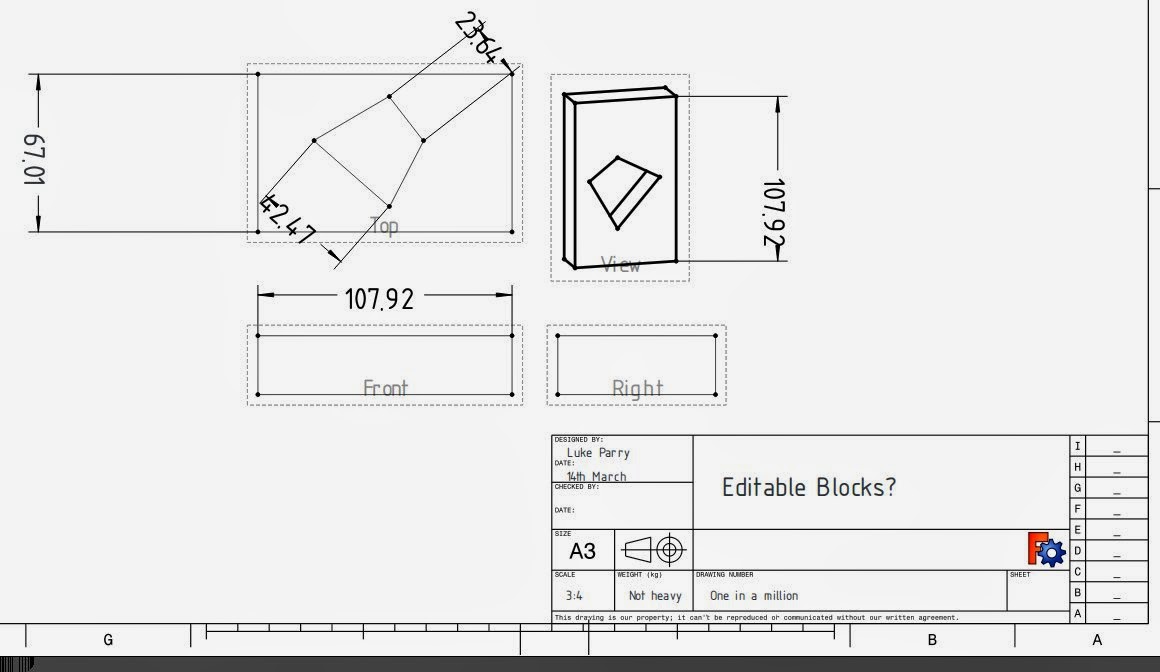
Getting bored one evening, I wanted to experiment and see if we could have user-editable text fields for the SVG templates, rather than the cumbersome Property Editor. To my surprise it's quite straight forward using previous code and using the text elements in the SVG document to create QGraphicsTextTtem which can be used very easily.

Time for screenshot!


The picture above is a culmination of what's been done. The text block on the right were edited in the document. All that needs to be figured out is if people are happy with this and a mechanism for storing the data fields more intuitive than an array. 

Saturday, 1 March 2014

SVG Export in Drawings

I was intending to blog last night about this, but two beers afterwards and I fell asleep - typical.

The focus now is trying to get the Drawing Module in a usable state, so that people can use it and begin testing. It's unlikely to be in the next 0.14 release, but I would definitely want to see it within the git master so that it can be test and used by the more enthusiastic users.

The remaining pieces of work are exporting the drawing. Last time, I worked on getting SVG templates working. The only issue remaining with these is that they are not automatically redrawn until you update Page properties. I also changed it so that templates provide information about the Page such as the size and orientation, so these don't have to be arbitrarily set by the user.

 I previously mentioned a while ago by using QGraphicsView we can export to a few vector formats for free. This includes PDF, Postcript and also SVG. This is only a temporary measure but is actually very useful to obtain near exact representation of the Drawing shown in the GUI. The limitation is that FreeCAD must be compiled with a GUI to get export functionality. I plan to have a separate Exporter class that will provide an interface for exporting into multiple formats.

There are a few issues with the ViewProvider classes where currently they are not very friendly with any view that isn't a Coin3D view. For the time being the only way to access the SVG export functionality is right clicking the drawing page and clicking on 'Export SVG'. There isn't a way to expose this in the FreeCAD navigation.


Export to SVG from QGraphicsView is pretty easy, it's just the case of using QSvgGenerator and passing this to QPainter and then passing this to the render method inside a QGraphicsView object (m_view)


The Drawing View class manages at a high level the QGraphicsView. The CanvasView (m_view) is the lower level and provides the higher level drawing functionality. CanvasView has two modes to toggle editing. When it is disabled it removes borders, vertices and also cosmetic lines which keep the same thickness regardless of zoom level.

The issue I was having was that the toggleEdit method wasn't working correctly. The output in the SVG file was raster for some reason. 


I knew this was a caching issue but I wasn't entirely sure where it was happening because I explicitly set this to be turned off when out of editing mode. After many hours of searching, this problem was being caused by one line. So the result is below:


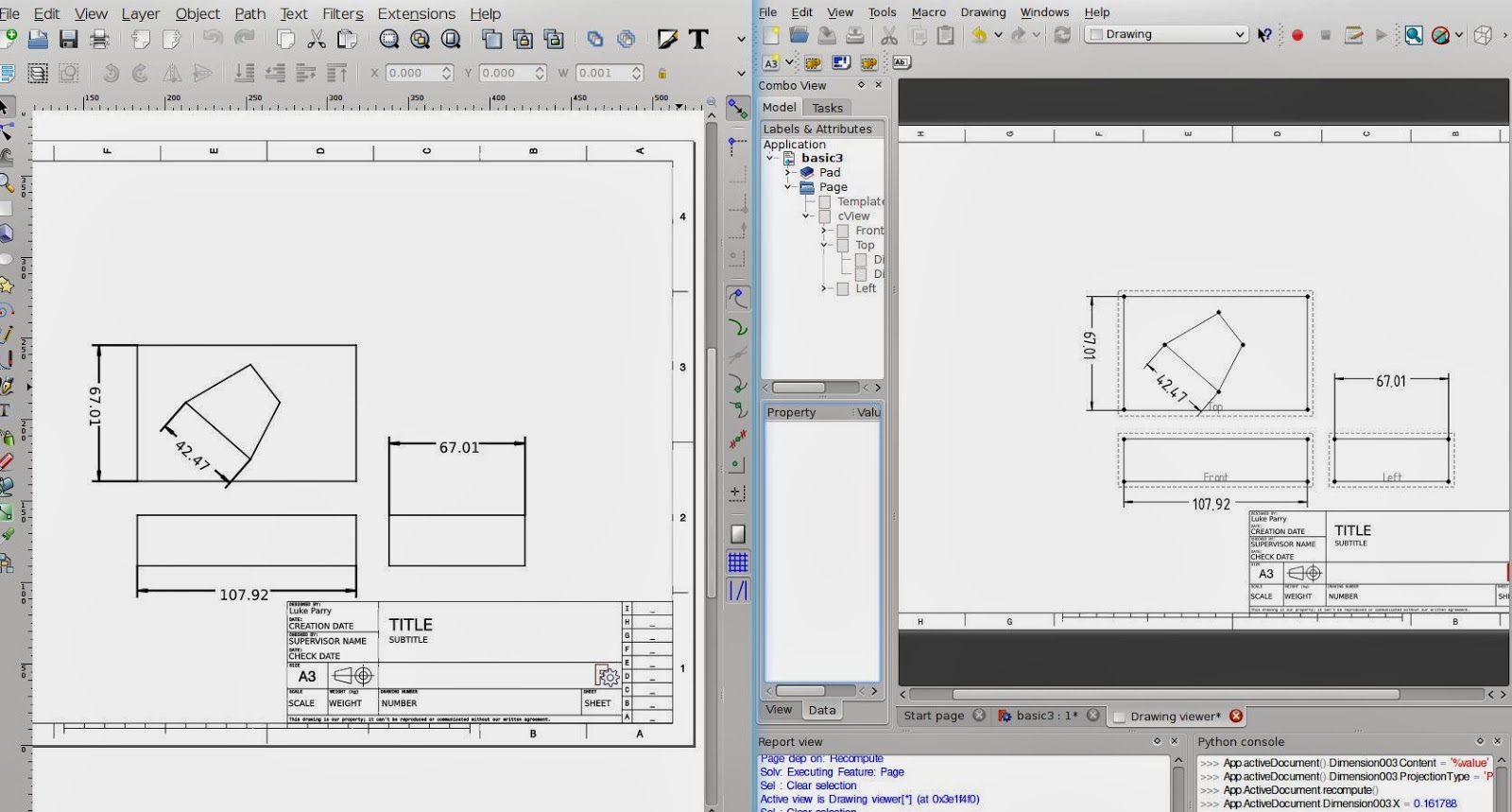
 On the left is the exported Drawing opened in Inkscape. The right is the Drawing Module. 

Spot the difference: 
  • The arrow heads, which are drawn as triangles rather than SVG line end styles.
  • The SVG template losing colour for some reason.
  • The font for the dimension datum labels are different, because osifont isn't installed locally on my computer.
  • The drawn primitives within the SVG document are not grouped. 

Note: this will be a fail safe option because we don't have any control on the output at all. For example it would be useful to have groups in SVG to separate views.


Wednesday, 19 February 2014

The Return of SVG Templates

After some discussion, there was a little re-think and it seemed a good idea to allow different templates to be used. Despite my focus on creating a parametric template, SVG templates are a reliable solution and have done well in the past.

My previous efforts was adapted to allow different template features to be used and it was fairly trivial to make the SVG template work. There was a lot of code duplication from the previous version which made things even easier without any loss in functionality infact. However it did need a fair few tweaks to get working.

The main change involved parsing the SVG document to obtain the width and height attributes for the document. The problem that I was having was the SVG document didn't share consistent units. What was interesting was using the new Units Framework to parse this, so in theory we shouldn't be restricted to just metric units for templates.

Here's the result:


The title block holders currently don't work at the minute. Anyway there's still more to work to do but it's starting to take shape quite nicely once again.

Friday, 7 February 2014

Beginning of parametric (python) templates in the Drawing Module

It's been a passing since the last entry. Unfortunately I've run out of beer and the fridge is empty, so tea again will suffice for a quite casual evening in programming.

After some discussion on the forums, I think I eventually persuaded everyone that SVG templates are simply not right for the job. Admittedly it's a nice standard and is great for customisation and has worked very well in the previous version available in FreeCAD. It also allows easy customisation and post-editing with other graphical editors such as Inkscape.  In fairness, Inkscape was not built for this job, even if there are several attempts at adding CAD functionality into the mix.

The problems using SVG for templates as I see it:

As far as I'm aware it's not adopted by any Mechanical CAD Package. I won't get into the discussion, but the biggest problem with using this template format is that there is no easy way to translate this into other formats such as .dxf, .dwg (Autocad / Teigha) or even our own representation if we ever needed it.

Dealing with XML is not impossible, and can be quite easy to manipulate using DOM (Document Object Model) functionality built into Qt. However, interacting with it through QGraphicsView is not great even if we have QSvg - which is apparently now obsolete. The other original idea was to parse any text fields and turn these into editable text boxes, but this alone creates further impracticalities.

The other big problem that seemed to be happening was the size and variation between templates based primarily on the paper size and the standard used (ANSI, ISO, Arch). There is nothing stopping someone creating these but in the future if these maintained it creates a lot of duplication of work.

I decided that we might as well do it RFT (right first time) rather than wait after the maiden release of the new module, which could be later in the year now.

Parametric driven templates

The combination of having endless combinations of templates was impractical. Some professional Mechanical CAD systems actually have limited number templates available. Instead, there was an attempt to to generate the SVG template using a python script. In the end. the best solution is to use a customisable python script to automatically generate the geometry, text fields and other extras for the template.

This script runs each time page dimensions change and is passed important properties such as page type, width, height, fields required and can create the frame, title blocks and so on, to the user's liking. I'd envisage an interface panel for customising this.

Any template geometry, fields etc. are abstract entities and are stored within the document feature. This can be then easily processed by an export script to be usable in different file formats.

Having abstract types allows isolation of individual elements in a template much easier. Practically this means if a text field is created, a text editing place holder is created and can be more easily manipulated. The same will go for Template annotations which still need work.

The only problem with this method, is we are somewhat restricted to the drawing functions and data types implemented. This might be lines, rectangles, arcs, text. Some CAD programs allow their sketch functionality to be used on top of their drawings. In some cases it can be quite useful, however, considering the maturity of the module, I don't think is appropriate or demanded.

I'll shut up now and show a picture.


This is a square page with a isometric view on it. Those lines across the page were created using

App.ActiveDocument.Template.drawLine(x1,y1,x2,y2);
App.ActiveDocument.Template.touch()

I'm still not sure yet how to organise the script so it knows about Template. However, this is to just show it working. I'm looking for people who can parametrically create a nice python script for generating scripts - don't expect me touching python!

Dimension Placeholders:

Some people will like this. From a solidworks background you can use custom placeholders for dimensions/sketcher datums. It's quite neat and allows some customisation where you may need it. 

For now my implement uses placeholders where there is a content field and the placeholder %value is the datum size.

That's all for  now folks!

Sunday, 19 January 2014

Updates to the Drawing Module

I'd promise to get some wrote by the end of the week, so here's my attempt on covering updates I have made to the Drawing Module over pretty much the last half of the year.

In general there's been a lot of incremental small fixes that have accumulated over such a long time, which is a stark contrast when I look at the last blog post on this and might seem significant.

One of the big changes was adding initial support for drawing the page background given the width and height and recently spending time switching the origin of the coordinate system to the bottom left with the y-axis pointing upwards - see this post. QGraphicsView orients with the y-axis pointing downwards which is also used in SVG. It's a trivial fix, where the y coordinate is inverted for the position of every Drawing Views. This is needed to ensure consistency with CAD packages and other formats.

The next step for improving the functionality is adding support for templates and displaying this on the background.


These leads onto talking about further work on improving the dimensions. The most obvious detail is the improved presentation of dimensions. There are now arrow heads, which later will be allowed to be changed to a few standard ISO options and the use of a font called osifont, which I was recommended for a starting point for datum labels. The license needs checking as it appears to be GPL 3 - I'm not entirely sure if this is compatible for distribution directly with the FreeCAD release but in the worst case an be installed separately by the user or made a dependency on the packaging front and be used if available by default.


The datum values can be used calculated as project or as true values - if an orthographic projection is used then projected values are used by default. The leader lines are also calculated to the end points of the lines avoiding any overlapping. The dimensions also use caching and now don't need to recalculate when these are moved on the canvas by the user. 


There is now an orthographic container, which contains ortho-views -orthographic projections such as front, left, top etc. These benefit of having a container is that the child orthoviews are much smarter and allow various properties such as scale or the type of projection (first or third angle) to be set from the container which are then cascaded down to the child views. 

QGraphicsView is quite flexible and allows some nice interactivity too. A little feature I implemented was having alignment between views: and can be interactively moved along one axis. You can seen in the screenshot from above the are all aligned correctly. This originally took a while to figure out because the projection used in the current release of FreeCAD is not consistent - the simple trick was ensuring that the centroid of the part is used as the origin of the projection plane. 


Another little feature I added was support for angles - although there are a few cases where an exception is thrown. The final thing I currently can think of working on is improving the print support which is slowly getting there:


Anyway that's an overview and hopefully give some incentive to give the drawing branch another try!


Monday, 13 January 2014

I'm back!

I took some time of for the later part of 2013 for an adventure that in the end didn't work out. Boo hoo!

Now I'm returning back again for 2014 for the foreseeable future! I'm pleasantly surprised to see that people are still actively looking at the pages - despite the inactivity since May and it's remarkable how time has flown. Anyway, let me introduce the new year with some good news.

From last December, I am now a Postgraduate Research student at the EPSRC for Innovation in Additive Manufacturing at the University of Nottingham. (This means I'll be working for a PhD over the next three years). It is a great opportunity to be doing particularly ground breaking research here on various areas concerned essentially with commercial 3D printing and eventually become an expert in this revolutionary field. 

As with all academic research this is non-proprietary, so in theory the modelling techniques that we are aiming to develop may reach into programs such as FreeCAD. I'll later give a brief overview of what we do here now I'm familiar with what projects have been taking place.

I'll later incorporate other posts into this blog related to my research but not exclusive to FreeCAD that might be of interest to some readers. Later on I hope to apply some experiments too. 

So where do I position my self now with FreeCAD? Admittedly these days, I don't have as much time as an undergraduate during the day, but I now have blocks in the evening where I can sufficiently give time to work on it as I choose. 

Drawing Module:

My focus is to tidy up the work that I've done over the past year on the new Drawing Module and get it into a 'playground' state where interested users can test and use it with the strings attached that non-critical bugs exist.

Later on in the week I'll try and write up an update of where I currently am with the Drawing Module - obviously with pictures!

The current big show stoppers in terms of stability and usability are the following:
  • Random Draw Crashes (rare)
  • Random segfaults (rare)
  • Some projections are missing (tangent curves in particular)
  • Dimension of edges lose their position randomly (Bug with OpenCascade)
  • Background template layer non-existant
Note to people: There has been many substantial changes since May. Feel free to check out the git repo - Drawing branch and try it out! 

If you can find some solid test cases for the above in particular that would be very helpful :) 


Friday, 26 April 2013

Drawing Updates & Bloodhound SSC


Pardon me for starting the post off-topic, but last night I went to a talk given by Richard Noble the director of Bloodhound SSC (below), aiming to achieve Mach 1.4 or 1000 mph (~1600km/h ). I freely admit it was an inspiring talk and especially given how little I knew from the small excerpts produced by IMechE - UK's institute for Mechanical Engineering, it provided to be very informative.
Bloodhound SSC
Why I raise this, is that one of the key emphases on the talk is about inspiring the next generation of Engineers not just in the UK but all over the world - akin to Nasa's Moon Landing Programme in the 60's. We share a responsibility as engineers to foster the development of the youth. Many open design such Raspberry Pi and Adruino  are sharing such successes involving children and young adults alike.

Without becoming too philosophical, FreeCAD would be part of this idealistic goal. Being able to provide free but importantly open tools that I never had when I was at school would bring opportunities I wouldn't have dreamt off - I was the one of the last generation at our school to produce hand-drawn drawings, which shockingly was only six years ago.

Ultimately if you cannot contribute to FreeCAD as a programmer, there are endless ways you could help and I wish to thank the members of our community for doing so without initiative!

Back on topic: Drawing Tweaks and Updates

Probably the biggest changes came last night and was most surprisingly because of the fact how tired I was. The Drawing View (QGraphicsView) updates itself when you change it's property, this includes dimensions too and surprisingly works very well. Additionally the drawings are correctly created when you restore a document. 

Hopefully I'll publish a video to better demonstrate this, because  find it a satisfying result.

The other changes is scale independent rendering, edges retain the same stroke width regardless of the document zoom.All this we get for (nearly) free in QGraphicsView! There's a problem with selection at the minute, but hopefully will be sorted out soon (Fixed). I don't believe this is easily done using SVG because transformations are applied at object level. 


The example of above scales as you would expect, which was scaled really small on my screen but is not desirable in CAD drawings. You don't want lines to obscure each other when you zoom in, especially on an extremely complicated part with greater detail such as below.


I've also added a scale option. This currently transforms the original FreeCAD Part, however, I am still unsure is the best approach in terms of performance which could be natively applied in the projection algorithm. However, now it appears to work correctly.


In the previous drawing module the scale was applied at the presentation layer in SVG and wasn't really the best solution although it worked.

I wanted to put a picture up but I am currently upgrading Kubuntu. It will most likely not go smoothly, but atleast I'll be ready to report any problems compiling with FreeCAD.

Taken a short screen cast to show off the Drawing Module in it's current state. Only had 15 minutes to make it this morning, so sorry for the lack of quality!


Note: The drawing artefacts appear when recording the video for some reason but otherwise are not there normally.


Saturday, 20 April 2013

Finally we have arcs that work!

For over a month this has been a problem where on 3D projections, arcs are turned into partial ellipses but were being incorrectly drawn. Attempts to diagnose the problem were unproductive - see the forum topic

There a sudden moments that make you realise that perhaps there is an easier way, just like last night. I though of mimicking the previous code that generates SVG directly. Instead of creating an actual ellipse arc, an cubic arc is produced instead - see the Mozilla Docs.For Qt to render SVG it must process this, so that there must be a method for drawing these somewhere. After some searching I found a function available in qsvg/qsvghandler.cpp. This had what I desperately needed and thanks to Opensource is possible.

Literally copy and pasting the relevant code - later will be re factored to be simplified if possible, this morning I got it working and produced the results I was craving!

This accomplishment crowns the ending of my Easter Vacation. I return to University tomorrow.

The couple of bigs tasks remaining are growing smaller. Ideally, I need the drawing to update automatically by itself, but changes don't propagate into non-3d views. Also we need working templates - looked at by Joshua.

The other is re-doing the export code - we get .svg and .pdf free with QGraphicsView, but .dxf.One thing I am going to enquire is an export to librecad. dxf sounds like the devil, so I think promoting an open format would go well.

The remainder should be smaller jobs that other people could get involved with. By then I hope I could get this be ready for testing by mid-summer. 

Friday, 12 April 2013

Parametric dimensions in the Drawing Module


After about three weeks, of having to work on various assignments (nearing completion) and revision, I finally had a day off to work on dimension support in the Drawing Module (see above and compare to previous post).

Obviously the dimensions look much better and are correctly positioned and it also shares similar behaviour to sketcher where if the datum label lies outside the arrow lines change position accordingly.

Additionally the dimension can be set to the edge length in X or Y direction now quite easily by changing the dimension mode. Currently the dimensions only work for Straight Line edges, but I plan to address some support for vertexes and obviously circular arcs.

One of the interesting things that had to be thought was how to reference edges that are broken up into smaller segments by any geometry in front.


My first attempt at this failed miserably, where I thought I would reference each segment of the edge and find the ends from there but clearly it wouldn't work. After scratching my head, I thought the best way to go was getting the reference to the original geometry and projecting the whole edge and using this instead for dimensions.

The limitation with this strategy is that if the original reference isn't available you won't be able to get true parametric dimensions. Generally this isn't a problem - nearly all the time I have found references are available and if they aren't usually it is for curves projected onto a 3D view.

It was a bit of work to get to work, because I was using HLRBrep_Curve and that require figuring out what type of curve was produced when finished. I kept to this OpenCascade Algorithm to allow perspective projections if they were ever needed. Luckily it worked!

Behold Parametric Dimensions!

The big test really was to change the projection direction and see what happens...


And yes it worked - although the datum label positions need correcting, nothing else had to be changed. Now changing the geometry (nothing too drastic)...


It's a pleasing result because it's been several months in the works to get this working, not knowing if this would be even possible. Obviously there's a lot left to do.One of my biggest problems at the minute is that if there are changes in the Document Structure, the drawing view must be closed and re-opened

The next priority is to tidy the module up more as it's still feels experimental.


Friday, 15 March 2013

Projecting Points - Drawing Module


Having started on dimensioning support I stumbled across quite an obvious problem, how would I do point to point  Dimensioning. Obviously I could extrapolate the points from the edges and use these, but any changes in the Base FreeCAD model and your dimensions would very easily mess-up. 

I started thinking about this last night and indeed to support such dimensioning modes with parametric relations, the points would have to be projected from the base FreeCAD model. I hit a brick wall trying to figure this out last night, but suddenly it came to me this morning. Sleep is a powerful thing. 

All I had to do is use the Projector algorithm to project points from project curves and then check if these can be referenced to the original object by checking if the topology exactly matches. 

The result is the above, all the points are recognised from the original object and now means we can in theory reference these. It is slightly dumb at the minute, because it projects points from all the edges (even if they are hidden). However, it should be trivial to fix this. 

Obviously in the GUI, the points will be hidden until an appropriate tool is used but is a step in the right direction indeed!

Easter break officially begins today and hopefully will have a helper who can assist me on the Drawing Module too *fingers crossed. 

Saturday, 9 March 2013

First signs of measuring

I spent last night putting something rudimentary together for this Measurement module to see how it will work. Surprisingly, I was up till 1:30AM probably because of a sugar high brought on by making chocolate cake last night. Nevertheless I was up bright and early to finish off my work from last night, and already we are bearing results:


Below 'Import Measure' are the commands used for making a measurement, hopefully it seems quite logical:

The output works correctly and fortunately when the geometry in the FreeCAD object does change, taking a new measurement does indeed return the correct result.

My only concern at the minute is whether it seems a good idea to bundle so many different measurements together in one package, even if the correct mode can be chosen and when the selection is incorrect an error is politely thrown to the user.

I guess in reality, this is more of a convenience solution to provide parametric measurement for most important measurements that both the user and in the case of Drawing Module may need.

What are people's thoughts?

Thursday, 28 February 2013

A bit of fun on the side: Compiling with Clang

In the other bit of spare time I have considered looking at compiling FreeCAD using Clang. The end result is that only a few changes are needed to be made to the FreeCAD source so that it compiles with Clang.It doesn't seem to affect building using g++ either. I haven't measured the performance yet, but noticeably compiling takes less time.

I still need to collect these changes and post a patch for this and allow other people to test it out for themselves. I also have to find how I can debug FreeCAD after compiling with Clang - it appears to be incompatible with GNU's gdb.


Other Progress (slightly off-topic):

Workload seems to have increased once again at University. I spent a bit more time at the weekend on the Drawing Module: the majority of the work is looking at projecting faces onto the drawing plane. This is relatively similar to before but requires further work to sort edges into order, store these in a general format and then drawing using Qt's painter system. There's still work to do, but when I get that complete can hopefully share it.

What is Clang?

Clang is an alternative compiler that use LLVM to compile a variety of programming langaguesusing runtime optimisation methods. LLVM is used heavily in Mac OS X to improve graphics performance applications, but is also used in a handful of open source projects - in particular Open Source graphics drivers. LLVM provides the possibility to compile many different programming languages from Python, Fotran, OpenCL and importantly for this post c / c++.

Clang provides the infrastructure for compiling c++ and aims to offer a better alternative to gnu's gcc in terms of performance, better usability to developers and other advanced features such as static code checking. I won't say much more, but it seems a good alternative and therefore I decided to look at compiling FreeCAD using Clang.

What I did?

  1. Install Clang
  2. Change default compiler for make tool chain
  3. Change some of the check inside CMakeList.txt file
  4. (Ubuntu) Add a symlink for libgfortran for the linker to correctly work

Selecting the default compiler for your system (Ubuntu)

Most importantly install clang on your system. It seems that with Ubuntu installing clang introduces a an unwanted dependency of  gcc 4.6. Once installed, depending on your system you can inform Cmake explicitly to use clang or alternatively you can change the system wide default for make to use the clang compiler.The first option is obviously the most sensible, but I am not sure of the command.

The only help I have seen on setting the compiler is the following stackoverflow question:

In Ubuntu, it is straighforward to update the system wide compiler use for c++, simply run

sudo update-alternatives --config c++

This will bring up an interface to select the compiler you wish to use:


I need to post the patches to CMake, hopefully soon and these can be verified by other users. 

Following this, configure using cmake and then attempt to build using clang. You may notice that there is a linking error for lgfortran and then the build system fails. I think this is an issue with Ubuntu, but to solve this I had to create a symlink to gfortran library which isn't very convenient.

sudo ln -s /usr/lib/gcc/x86_64-linux-gnu/4.7/libgfortran.so libgfortran.so

Hopefully FreeCAD should happily compile very fast now at blinding speed!

----Update---


I have spent some time last week to look at some further details.

Compiling using Clang per project:

There is an advanced option within CMake to specify what compiler to use for c and c++ per project build. Fortunately KDevelop makes this rather easy: Open Project Configuration by right clicking on the project to open the following dialog:


Click 'Show Advanced Values' and then set the following variable:

  • CMAKE_CXX_COMPILER  = /usr/bin/clang++ 
  • CMAKE_C_COMPILER to /usr/bin/clang

Compiler flags can be conveniently set in CMAKE_CXX_FLAGS, where for both gnu compiler and clang -g is for full debug.

Specifying Variables in the command line

It can also be done in the command line - I found really straightforward Guide for setting Variables in Cmake from (http://www.llvm.org/docs/CMake.html#id8)


Variables are set quite easily - simply prepend -D before the variable name and assign the value like so
cmake -DVARIABLE=value
Alternatively, you can specify the type of the variable below:
cmake -DVARIABLE:TYPE=value


Debugging with Clang:

Unfortunatly there is currently a bug that is preventing gdb being used with clang, which is apparently fixed in the latest release. I tried to get this too compile but I encountered errors. Hopefully with the next release of LLVM and Clang 3.3, the issue will be resolved. 

Sunday, 17 February 2013

Compile OpenCASCADE Community Edition the Easy Way! (Update)

Introduction:

After a very late last night as a result from the following: splitting my head for three hours on Finite Element Modelling and for some reason watching Back to the Future:Part II whilst figuring out some code for the section plane, unbelievably I managed to wake up reasonably fresh.

Before starting on the chore of further University work this afternoon. I've been playing with compiling OpenCascade Community Edition in attempt to remove the shackles of Ubuntu's dictated policy of offering old packages.


All of this was inspired by a message on IRC #freecad over the past week about compiling OpenCascade with debug flags, so we actually have useful output when OpenCascade crashes without a warning (mostly from an unhandled exceptions on our part).

Benefits:

  • The other benefits are testing some new features - only recently has a commit been made to improve performance of boolean operations that will soon be merged - see discussusion
  • Full debug build so we can trace crashes correctly
  • Living life on the edge of your seat!

The first compile went really well, however, after attempting to compile FreeCAD I found that there were a few missing libraries that prevent FreeCAD from building. These were the visualisation and Model Exachange packages used by SMESH and Part for the IGES and STEP formats import.  I am not sure if these should have been detected by FreeCAD's cmake but anyway, trial and error prevails.

I also attempted to build OCE using TBB which is a threading library that can be used to speed up operations, however from what I read this is only used in a few algorithms.

Note:

Compiling OpenCascade does take a long time, around probably 50% longer than FreeCAD for a clean build. On my six core AMD Bulldozer computer, it took in the region of 18 minutes in total to compile with each core at 100%. Also remember that you will need additional time to compile FreeCAD again. Once this has been done, recompiling is very quick.


Be prepared to find something useful to do in the mean and drink tea or even a beer for a good half an hour.

Compiling OCE OpenCascade Community Edition (Easy Guide):


Reminder: expect 20-30 Minutes to compile:

Clone the repository:

Grab the latest git source from the official Open Cascascade Community Edition from the github page. The source is around 240mb when fully expanded and may take a while to download on a slow internet connection.

git clone https://github.com/tpaviot/oce.git

Create a build directory:

Create a suitable build directory, this can be in the main source folder but preferably outside to prevent potential conflicts
mkdir oceBuild && cd oceBuild

Install libftgl-dev in Package Manager:

You need to install following development package for libftgl to compile the Visualisation Package in OCE. This will depend on your Distribution. 

Install libtb2 & libtbb-dev in Package Manager:

For enabling TBB - Threaded Building Blocks Library to be used in multithreading, you will need to ensure that these are installed on your system. Below are the package names in Ubuntu.

Remove any previous Opencascade libraries provided by distro:

I don't think OpenCascade and OCE can be run in parallel on the same machine - correct me if I'm wrong. Therefore you will need to remove any of these on your system.  

Configure the sources using CMake

Configure the OCE sources running the following cmake command in the current directory. This will install OCE to your /usr directory. 

cmake -DCMAKE_INSTALL_PREFIX:PATH=/usr/ \
      -DOCE_INSTALL_PREFIX:PATH=/usr/ \
      -DOCE_WITH_FREEIMAGE=OFF \
      -DOCE_WITH_GL2PS=OFF \
      -DOCE_VISUALISATION=ON \
      -DOCE_DATAEXCHANGE=ON \
      -DOCE_MULTITHREAD_LIBRARY=TBB \
      -DCMAKE_BUILD_TYPE=Debug \
      ../oce

If you're installing on Ubuntu or Debian based distribution, it's advisable to change the install directory to /usr/local to isolate user compiled packages (@yorik) - (I need to confirm if FreeCAD can detect the location of the OCE header files from the location)

-DCMAKE_INSTALL_PREFIX:PATH=/usr/local \

You may find that there are some missing development dependencies, so if there are you will have to install these using your package manager. I found generally if you could install FreeCAD you wouldn't experience any problems atleast on Ubuntu.

Create a release build (Improve Performance):

You may not want debug flags enabled so that you can have full compiler optimisations and full performance when using FreeCAD: change the line previously from
DCMAKE_BUILD_TYPE=Debug \
to
DCMAKE_BUILD_TYPE=Release \ 

Begin Compiling:

When you start compiling OCE  be prepared to wait a while. Replace 6 with the number of cores or independent threads that can be run on your computer to speed up compiling by running concurrent make operations.
make -j6 -pipe

There has been some discussion whether the '-pipe' argument can reduce compiling times. If someone has enough time to make a comparison with OCE it would be interesting to see the difference.

Install:

Usually I install any compiled software to my user directory, but that wouldn't be straightforward. Therefore CMake was configured to install to /usr directory for simplicity later on. 
sudo make install


Installing on Debain / Ubuntu Systems:

Another helpful hint from @yorik is to install using the built in utility checkinstall. This provides a convenient method of uninstalling OCE using the system's package manager. Once you have finished compiling, run the following command:

sudo checkinstall

Type (y) to accept the defaults, then you will be presented with a menu to further describe the package - do this at your own leisure:

Once checkinstall is completed - this will take a while, it will produce a .deb package and OCE will have been installed to your system and registered in your system package manager.
 

Recompile FreeCAD:

There will be changes to the development sources since we are using a different edition of OpenCascade with FreeCAD. You will need to clean all the sources. From your previous FreeCAD build directory make sure run the following before recompiling (see previous post on compiling FreeCAD :

sudo make clean

If OCE was compiled and installed correctly, whilst configuring FreeCAD you will find the following log message (OpenCASCADE Community Edition has been found):


Recompile once again and you should have FreeCAD working with the latest OCE!

Hopefully people will have understand the guide and will now have a working version of OCE that is is used by FreeCAD. If there seems to be problems or something isn't clear, please let me know and I will update the guide.